

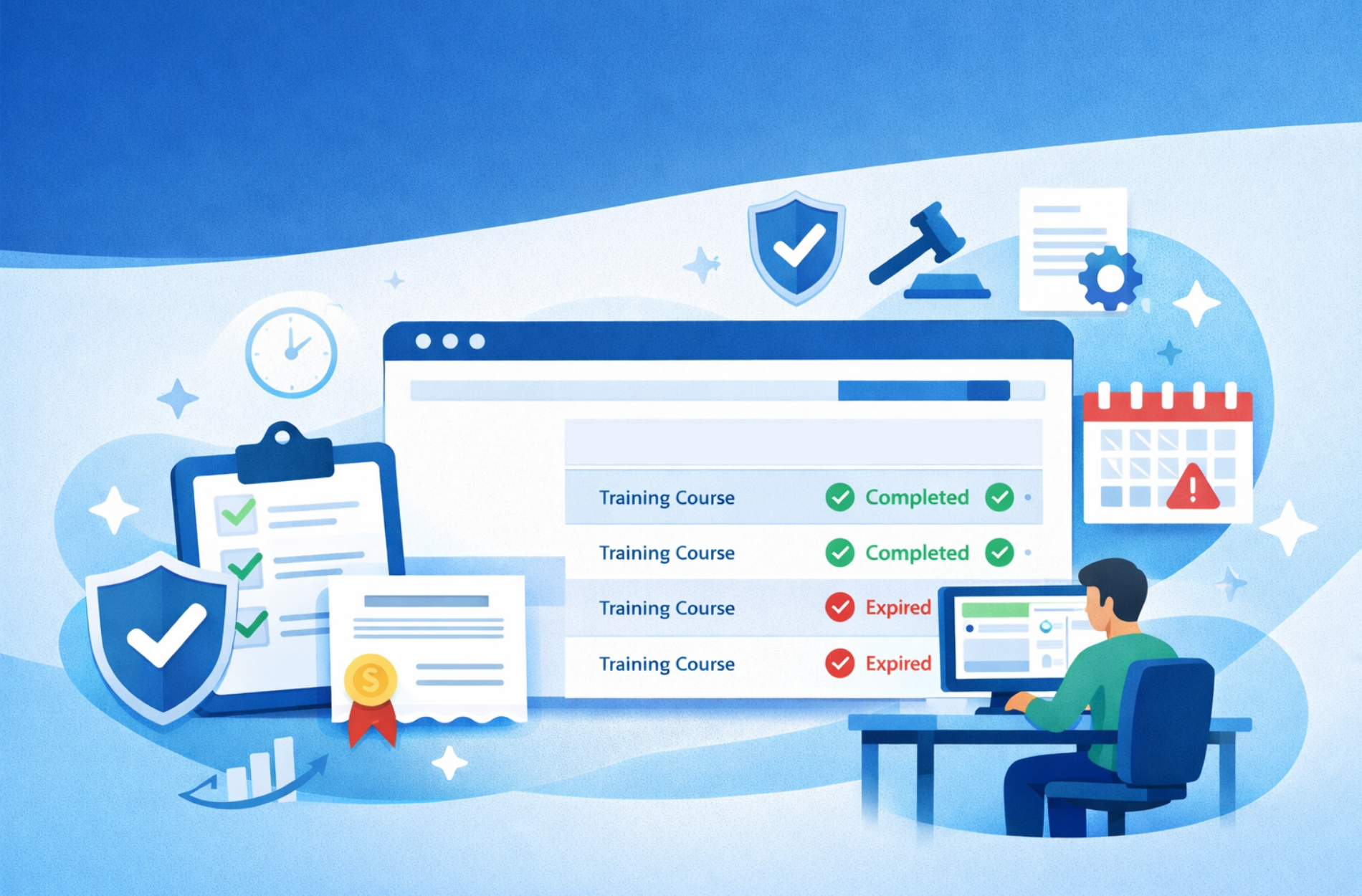
Staying on top of compliance training is a big job, especially when there are multiple clients, learners, and course deadlines to think about. It’s not just about delivering the training on time. It’s making sure it’s the right course, the right version, and that certificates don’t slip through the cracks. That’s where the right compliance training LMS can really help. It takes the stress out of managing recertification, keeps everyone on track, and gives admins back time that’s often spent buried in manual updates.
If your training setup feels too manual or scattered, now might be the right moment to make it easier for both you and your clients. This is a chance to review your processes and decide if you have the right tools in place to manage training effectively.
Make Compliance Training Easier to Manage
When you’re delivering training at scale, staying organized matters. Using an LMS built for compliance makes it easier to deliver the right courses to the right people, every year. Consistency and accuracy are key when training deadlines impact business operations and learner certifications.
- Automated reminders and expiry alerts keep users from missing their recertification windows.
- Built-in certificate tracking and verification means less back and forth with clients needing proof of completion.
- Version control keeps content updates simple, so you’re never guessing which file is the most current.
Firmwater’s LMS is SCORM compliant, ensuring your compliance content will work seamlessly and be tracked reliably regardless of the course authoring tool used. Group learners by team, role, or client so you don’t have to rebuild course assignments each time. As your teams change and new people join, training is mapped out for each user automatically. You don’t spend time figuring out which course they need or if it’s already been assigned elsewhere. And for your clients, knowing all of this is taken care of builds trust and helps maintain strong partnerships.
Deliver Training That Works for Everyone
Every business has a slightly different need. Some have hundreds of users. Others want control over who sees what. A good setup makes sure learners only see the courses they need to complete, keeping their focus clear and reducing confusion.
- Use separate training portals for each client or division so learning stays focused and simple.
- Training should be mobile-friendly and available at any time, across devices.
- Clients may want to track learner data or upload their own courses, so it helps to offer flexible tools.
Our clients can launch separate portals for each business, department, or franchise, all managed from a central admin dashboard. This approach helps you support organizations that operate in multiple regions, franchises, or business units. When clients get their own branded site, it feels like an extension of their business. It’s easier for them to manage staff, review reports, or check training records, and they’re more likely to return when recertification time rolls around. Having all the essential tools in one place removes unnecessary steps from both your team’s and your clients’ workflows.
Save Your Admin Team Hours Each Week
Without built-in tools, simple tasks like sending training links or updating learners can eat up more time than they should. The more you grow, the harder it gets to manage everything manually. Reducing repetitive tasks is vital to scaling your training services efficiently.
- Use automatic enrolment when someone signs up or is added to a group.
- Let the system send out email invites, reminder nudges, and completion messages.
- When the course is done, generate instant certificates so learners don’t chase you later.
One way to manage compliance training efficiently is with Learning Paths. Learning Paths automate multiple course assignments over a specific period of time. They can be used for “dripping” content over time and/or for recertification. For example, an organization may require its employees to take annual workplace training courses. A Learning Path could be configured as follows:
- Step 1: Safety in the Workplace (Due in 30 days, Access Expires in 1 Year)
- Step 2: Safety Refresher (Assigned 1 year after the previous step is completed, repeats forever)
Once the Learning Path is configured, employees can be added as needed. Email notifications, reporting and certification are automated.
Tools like Learning Paths help you assign courses to groups in one click instead of repeating the process user by user. Saving time on administrative work means you can focus on delivering value and service quality. And if someone misses a step, the system keeps track, so you’re covered if a client asks for an update. That kind of time saving becomes especially helpful during busy seasons when compliance deadlines hit all at once. Administrative teams can spend more energy supporting learners and fewer hours on manual tracking.
Track What Matters and Keep Courses Up-to-Date
Tracking progress isn’t just helpful, it’s necessary when the stakes are high. Clients want reports they can submit during audits. Learners want to know what’s left to complete. You need a clear view of what’s happening at all times.
- See who’s active, who’s falling behind, and who has completed training in real time.
- Spot patterns in where learners are dropping off. That could signal confusing content or pacing issues.
- Use those patterns to keep material fresh and usable.
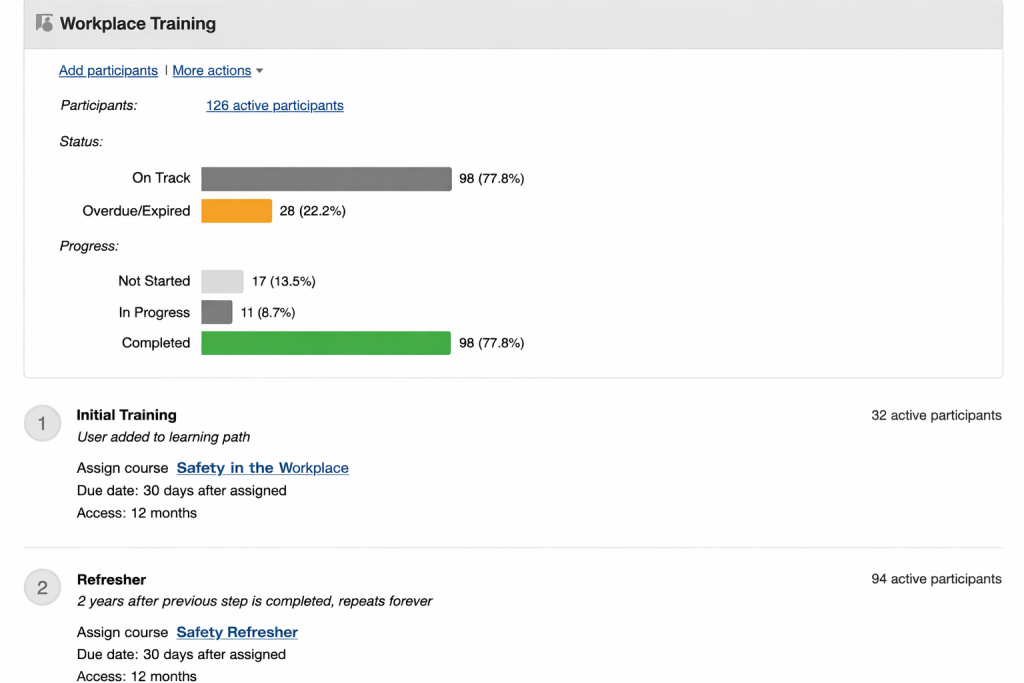
With Firmwater’s quick reporting, it’s easy to access real-time completion records by user, group, or client, making audit requests simple to fulfil. Insightful reporting allows you to identify risk areas quickly and respond proactively before compliance issues affect your clients. When it’s easy to see what’s working and what’s not, it’s easier to improve without having to rebuild everything from scratch. A few tweaks to the right section could mean better learner success and fewer client inquiries over the next few months. Keeping content updated is simpler when you see where learners succeed and where changes are needed.
Proven Tools for a Robust Certification Process
Meeting recurring timelines can be tough if you’re still stitching together spreadsheets, emails, and calendar reminders. Once your enrolments increase, that kind of setup doesn’t hold together very long. A structured compliance training LMS takes that weight off your team and helps keep training delivery steady and predictable.
While we’ve already identified several standard compliance LMS features like certificate verification, email reminders, auto-assignment and learning paths, integrating with external tools can further assist in ensuring compliance.
Shopify eCommerce LMS integration, for example, enables B2C and B2C direct course purchases. In industries like security and construction where annual recertifcation is mandatory, an LMS with eCommerce integration can open whole new markets to training providers. Customers get instant access to the course(s) they purchase and receive their certificate automatically upon completion. Integrated email marketing apps can trigger recertifcation emails, reminding customers their certificates are about to expire and encourage them to purchase the required course again.
Similarly, an integration with Zapier lets you connect your LMS to thousands of other apps to improve your certification processes. This could include:
- Log course completion, score, and date to a CRM like HubSpot or Salesforce to prove compliance, centralize records, or give sales reps visibility into client compliance status for renewals and upsells.
- Send completion data to tools like BambooHR or Rippling to keep employee training records up-to-date.
- New employees added to an HRIS are synced to the LMS, ensuring required trained courses are assigned in a timely manner.
- Trigger badge or certificate issuance in Accredible/Credly for credentialing workflows.
- Schedule automated reminders in email marketing platforms like MailChimp for certificate expirations based on programmed renewal cycles.
With the right systems in place, you don’t have to scramble when deadlines come around. You’ve already planned course scheduling and reminders. You’ve already grouped users and mapped out content. Instead of solving one issue at a time, you can focus on helping clients get through the training with more support and fewer hiccups. When the certification process is smooth on your end, that confidence carries through to every learner and every business you work with. Reliable systems give you the confidence to meet rising demands and take on new clients, knowing your compliance delivery can scale seamlessly.
Confident Compliance Training Year After Year
Managing recertification across multiple clients doesn’t need to feel like a juggling act. With our tools, you can group learners, schedule reminders, and stay ahead on tracking, all in one place. Our compliance training LMS makes it easy to handle repeat training and keep your clients happy year after year. At Firmwater, we’ve helped hundreds of businesses train smarter without adding pressure to their team. Let’s connect to discuss how we can help you achieve the same results. Reach out to us today.

Enhancing B2B Training Programs with an LMS
Running a B2B training business means juggling a lot. There’s course content to manage, client portals to organize, and compliance deadlines to meet. One way...Continue reading→

Guide to Customizable LMS Platforms for Business Needs
Choosing the right learning platform matters a lot when you’re running training for different types of clients. Whether you’re selling courses to businesses or training...Continue reading→