



Why You Need a Multi-tenant Client Training Portal
You may be using a homegrown LMS or a single-tenant tool like LearnDash, Thinkific, or Articulate Reach to host SCORM. Those options can work early on, but they often fall short when you need consistent multi-client delivery, stronger reporting, and simpler administration at scale. A purpose-built client training portal is still an LMS, but it is built for training providers who already create SCORM courses and need a better way to deliver them to many clients.
With a modern portal, you keep courses in one place, standardize delivery, manage branding, and add clients without drowning in support. This article shows how to manage your SCORM courses for multiple clients and become a true training partner by defining your vision, getting buy-in, planning migration, proving reporting equivalency, and rolling out in phases.
Defining Your Vision for a Client Training Portal
Start with a clear definition of what “client training portal” means for your business in practice. You are not replacing SCORM; you are replacing the delivery model with a more scalable LMS designed for training providers. Common elements include:
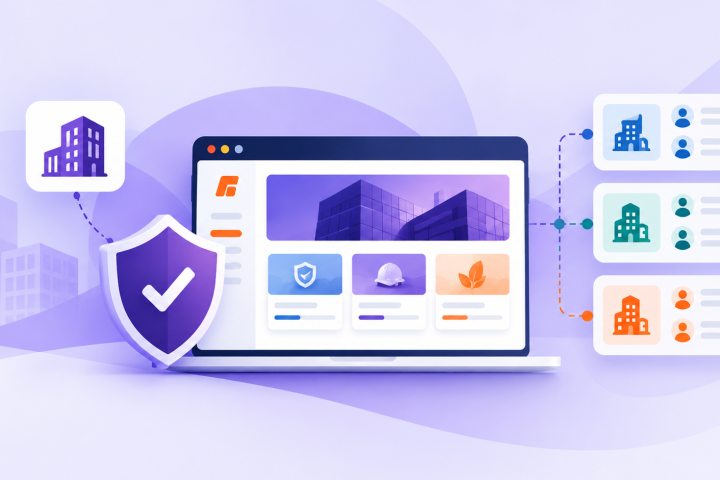
- Separate, white-labeled portals for each client
- A shared content library where you control which courses each client sees
- Live dashboards so client admins can view activity and results
- Simple tools for client admins to enroll users, pull reports, and manage users
Translate that vision into outcomes for the next few years, such as:
- Fewer support tickets about course access and technical issues
- Faster client onboarding after a deal closes
- Higher completion rates across your catalog
- More recurring revenue from subscriptions vs. one-off file sales
Document must-haves and limits so you can evaluate options and keep teams aligned. Typical priorities include:
- Strong SCORM support, including older versions you still sell
- True multi-tenant setup with secure client separation
- SSO so learners can use existing accounts
- E-commerce or invoicing if you sell training directly
- Flexible branding so major clients can “own” the look and feel
Also capture what you can do today versus what you need next. Basic LMS tools, WordPress plugins, or Articulate’s hosting often mean single-tenant constraints, weak segregation, and minimal reporting. A client training portal keeps SCORM delivery but adds the structure and controls a growing training business needs.
Winning Stakeholder Buy-in Inside Your Business
Moving from running a basic LMS to operating a client training portal affects multiple teams, so involve them early. Key groups usually include:
- Sales and revenue leaders
- Operations and customer success
- Content developers and instructional designers
- IT and security teams
Buy-in comes faster when you speak to each group’s priorities. Sales wants offers that are easy to sell and quick to launch. Ops wants less manual uploading and less time chasing reports. Content teams want fewer one-off packages. IT wants clear security and data privacy.
Build a business case in their language:
- For sales: “Launch new clients faster, then upsell premium catalogs and dashboards.”
- For operations: “Update once instead of uploading SCORM into multiple client LMSs or portals.”
- For leadership: “A standard portal model scales and increases client retention.”
Be clear about what is holding you back. Custom systems can be hard to maintain. Single-tenant platforms like LearnDash, Thinkific, or Articulate Reach may not support true multi-client isolation, branded portals, or flexible reporting. The point is not changing your content standard; it is changing delivery so SCORM is easier to manage, support, and sell.
De-risk the change with a plan: a high-level roadmap, example portal views, and how you will protect each client’s data.
Planning Data, Content, and User Migration
Decide what you are moving, how you will move it, and what you will retire. Start with an audit:
- List every SCORM course you sell or support
- Note client-specific and legacy versions
- Gather user lists, enrollments, and completion records
- Identify current courses vs. outdated courses to retire
If you have been pushing SCORM into client LMSs, tracking in spreadsheets, or relying on limited reporting from tools like Articulate Reach, your data is likely scattered. The audit consolidates what you have before moving into a centralized LMS for external clients.
With the inventory, define migration decisions that shape daily operations:
- How courses will be organized (by client, catalog, topic)
- Whether old versions stay active or get replaced
- How clients, departments, and roles map into a multi-tenant structure
Reporting continuity is a major trust factor, so define what historical data clients truly need and why. Common reasons include:
- Compliance or regulatory audits
- Internal performance reviews
- Long-term training records
You can import historical data into the new system, or provide clean export files for reference. The goal is to ensure nothing important disappears.
Matching Reporting and Proving Equivalency
Clients get nervous when reports change, especially if internal processes depend on their current LMS outputs. That might be their own platform, a single-tenant system you managed, or exports from an authoring tool’s hosting. Reduce friction by matching what they already use, then explain what is equivalent and what is improved.
Start by listing the reports they rely on today:
- Completions by user and/or group
- Due and overdue training
- Time spent and progress
- Quiz or assessment scores
- Certificates and compliance status
Use this list as the baseline when configuring the portal. Then create a “report equivalency matrix” showing, for each legacy report:
- The new report or dashboard that replaces it
- Which filters match the old fields
- Any new views available (manager dashboards, scheduled emails)
Validate with real client data in a pilot. Run the same report in both systems during the pilot window, and if numbers differ, identify and document why (for example, time-tracking rules or how inactive users are handled). Turn this into FAQ talking points so customer-facing teams can answer questions confidently.
For clients coming from basic SCORM hosting or a limited LMS, reporting may be a clear upgrade. In those cases, show not only equivalency but the added insight: cross-course analytics, stronger filtering, and automated report scheduling.
Phased Rollout and Client Support
Avoid moving every client at once. A phased rollout lets you learn, adjust, and still make steady progress.
Start with a controlled pilot:
- Select 3 to 5 clients representing different use cases or regions
- Move a smaller set of courses first
- Enroll a limited learner group
- Track support tickets, completion rates, and admin feedback
Include a mix: clients who previously only received SCORM files, and clients who used your LMS or old platform. This highlights gaps across both delivery modes and where clients need more guidance.
Use pilot learnings to standardize what makes future launches faster:
- Onboarding checklists for new portals
- Email templates for launch and reminders
- Admin guides and short video walkthroughs
- Default portal settings so new clients start with proven configurations
Then roll out in waves to keep workload predictable. Common grouping methods include:
- Contract renewal dates
- Client size or complexity
- Industry or regulatory pressure
To reduce risk, offer a short dual-running period where some clients can keep using the old LMS while testing the new portal. This lets them validate workflows and results without a hard cutover.
Keep communication clear and repetitive so no one has to guess:
- What is changing
- Why it helps
- When it happens
- What support is available
Short learner how-to videos, admin launch checklists, and internal FAQs reduce tickets. For large or regulated clients, plan live walkthroughs or time-limited white-glove support at launch.
Once the portal is established, you can expand beyond course delivery:
- Curated catalogs by role or industry
- Subscriptions and premium bundles
- Add-on services like custom reports or blended programs
- Analytics-driven business reviews to spot gaps and recommend training
Track adoption, engagement, completions, and support volume. Use the results to show how moving from scattered SCORM delivery to a centralized client training portal makes training easier to run.
Transform Your Training Delivery with a Dedicated Client Portal
Take the next step toward scalable, consistent training with a branded client training portal tailored to your business. With Firmwater, you can centralize content, track progress, and simplify administration so your team can focus on delivering value. Book a demo to discuss the best configuration for your needs.
Designing a Client Training Portal That Enterprise Buyers Trust
Enterprise buyers judge you fast. Before they believe your training will work for hundreds or thousands of people, they look at one thing: your client traini...Continue reading→

Question-Based Selling for Training Companies Using a B2B LMS
You sell training, not just content. To win bigger B2B deals, your sales conversations need to show that. Question-based selling helps you shift from talking...Continue reading→