


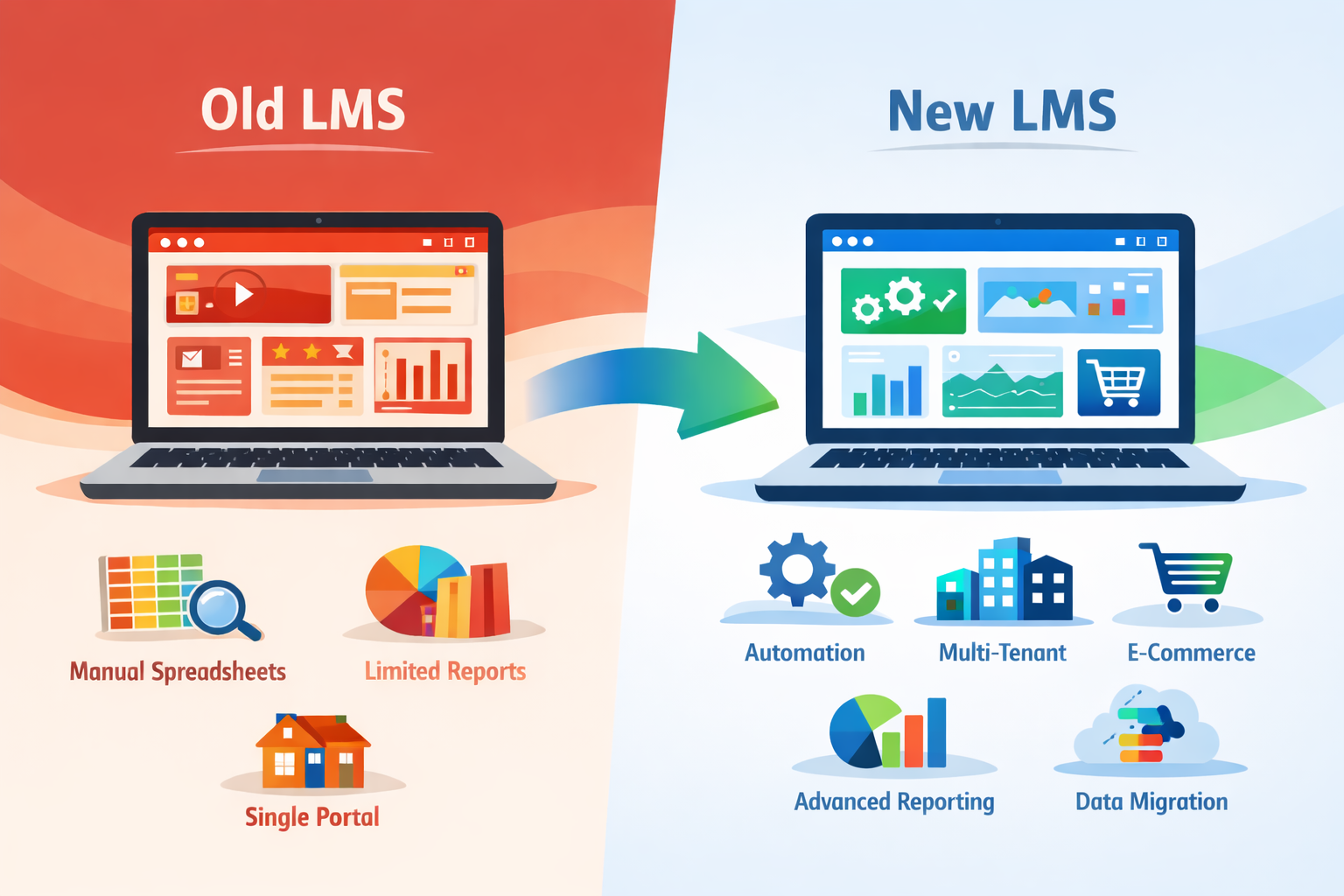
Switching to a new learning management system is not something most training providers take lightly. It is a big decision, often sparked by daily pain points. Reporting might feel clunky or ecommerce functions cannot keep up. Managing multiple clients or different course audiences is often harder than it should be. Growth gets held back when your platform cannot flex with your needs.
Making an LMS change is much more seamless if you are ready for the challenges that may arise. Switching to a new platform brings different types of obstacles; some come up quickly, while others appear gradually. Knowing what to expect helps you set realistic goals, choose wisely, and sidestep frequent mistakes.
Getting Your Data Out and Into the Right Place
Moving platforms usually means shifting people, content, and history. Course completions, certificates, enrolments, and user activity are all items that often remain buried in your current system. These need to be extracted, tidied up, and imported into your new LMS.
The process depends on how your current system stores that information. Some platforms provide clean exports, while others split things into formats that may not match your new setup. Overlooking progress tracking or missing out on older completions, especially if certificates are stored in separate locations, can happen easily.
Without a clear strategy, you might lose track of who completed what and when. For those in compliance training, this could mean missed audits or having to issue new completions. To manage this, set aside time to:
- Gather all historical data before cutting ties with the old platform
- Decide what needs migration and what can be archived
- Confirm which formats and file types are supported by your new LMS
Not all data moves automatically, and handling it manually can take hours. Having a partner who understands these steps saves effort and reduces risk. Firmwater LMS includes dedicated migration support to streamline this transition for organizations switching from other systems.
Helping Admins and Staff Adjust
Admin teams and support staff are typically the first to feel the effects of a change. A new LMS brings a new backend, new workflows, and different processes for routine tasks.
Adjustment often unfolds gradually. On the first day, things might look fine, but when a learner calls for a lost password or help with a quiz, admins realize they are still learning too. It is helpful to allow realistic timelines for mastering the new system and balancing it with daily responsibilities.
Minor differences, like the locations for reports or the way courses are built, can quickly cause confusion. Learning new procedures while handling regular work can be overwhelming. Some of the most common changes admins face include:
- Updating user access with new login details
- Getting familiar with a different dashboard layout
- Creating or editing courses using a new structure
A successful transition includes scheduled time for testing, practice, and extra support in the initial weeks. Engaging staff early in the process helps avoid stressful surprises after launch. Firmwater provides responsive customer support for training companies so admins and staff do not have to face changes alone.
Keeping the Learner Experience Consistent
End users expect a seamless and predictable experience. They sign in, complete courses, and receive certificates. Introducing a new platform can disrupt this flow, even when improvements are on the way.
Visual consistency is crucial. If users are clients or employees who know your brand, a sudden design change will prompt questions before they even view the courses. This is particularly noticeable with a white-label setup, where platform appearance should match your brand, not a third-party provider.
Consistency matters in several key aspects:
- Clear login points and properly branded welcome pages
- Simple navigation for finding assigned or purchased courses
- Reliable access to previous certificates or ongoing progress
If any of these elements seem off, users may feel less confident in your services. New platform features do not matter much if the system feels more complicated at first. Trust is easily shaken if the interface is less intuitive than before. Ensure your new LMS has customizable white-label environments, so you can consistently brand the learner experience for each client or audience.
Making Sure Existing Integrations Still Work
A new LMS can appear to satisfy all requirements, but disrupting a current integration can lead to major frustrations. Integrations often run silently in the background, and their failure during a migration can cause hours of setbacks or lost features.
Most training companies use external tools for efficiency. You may rely on SCORM authoring tools like iSpring or Articulate, or link ecommerce processes through platforms like Shopify. If a new LMS interrupts these connections or introduces new restrictions, it is more than a minor annoyance.
During migration planning, it is wise to check:
- Which integrations continue functioning and which require updates
- How certificates, enrolments, or reports connect with other systems, such as accounting or CRM tools
- What additions are needed, such as plugins, scripts, or manual processes
Spotting potential gaps early makes it easier to address issues before they impact your launch. Waiting too long can stall progress or affect your deadlines.
Avoiding Delays That Hurt Revenue
Many training providers offer time-sensitive courses, annual renewals, scheduled training, or real-time reporting for compliance. Platform delays can easily affect revenue in these scenarios.
Unexpected setbacks take different forms. A single upload problem may leave several clients waiting. Temporary issues on the ecommerce side can interrupt sales while links are updated. These situations have a larger impact when the LMS serves many learners or companies simultaneously.
Solutions can be technical or organizational. To minimize disruption:
- Keep current sales or course delivery running until the new platform is thoroughly tested
- Test courses on various devices and browsers early and often
- Automate key processes to reduce manual mistakes
Even small errors, like an incorrect expiry date, can prevent course access or certificate renewal, leading to trust and revenue loss.
Plan for Change, Support Future Growth
Changing learning platforms does interrupt daily routines, but it also brings valuable opportunities for new efficiencies. With over 20 years of experience, Firmwater supports training organizations, big and small, as they migrate to new systems and beyond.
Dedicated onboarding, full branding, and experienced data migration ensure switching to a new LMS is an investment in long-term simplicity. By setting clear expectations, relying on specialist support, and keeping everyone informed, you prepare your business for ongoing growth and positive results on your new LMS.
Moving to a new platform can feel like a big step, but having the right support makes a difference. At Firmwater, our learning management system helps training providers keep admins in control and learners on track during every stage of change. We have guided hundreds of clients through moving their content, users, and course history with features that grow along with their needs. Whether your courses are for individuals, businesses, or multiple client sites, our team is ready to make the transition smooth. Book a demo today to see how we can support your next move.

Turn Branded Client Portals Into Recurring Training Revenue
A separate branded portal can turn one-time course sales into an ongoing training relationship. Instead of sending learners to a generic course area, you giv...Continue reading→
Why Enterprise Training Companies Need a Multi-Tenant LMS
If you sell online training to enterprise clients, a multi-tenant LMS is essential for delivering the branded, secure, and scalable experience they expect. S...Continue reading→